Configure CDN integration
When using both CDB Managed DNS and Orange's CDN, A and AAAA records can be configured to resolve directly to CDN addresses. CDN integration eliminates the need for a CNAME record and the associated additional DNS lookup on the end-user side — CDB DNS resolves the record to the optimal CDN address automatically.
- 1
Navigate to DNS
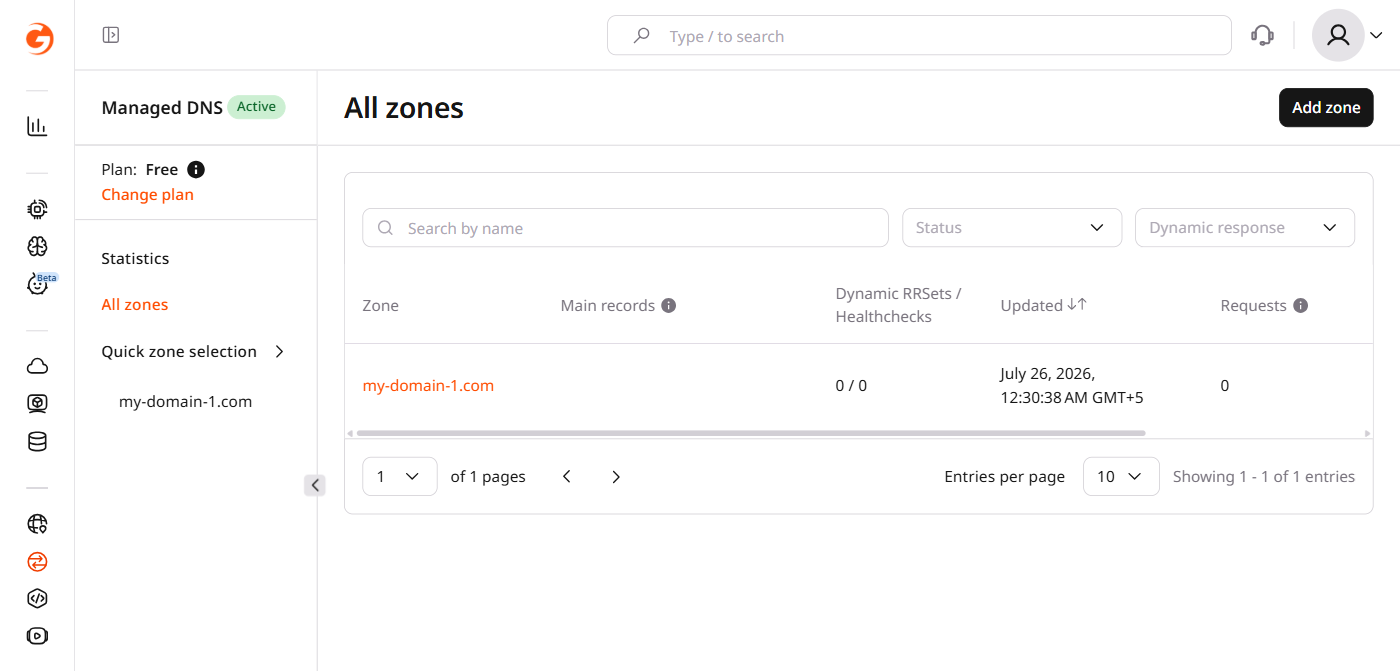
In the CDB Technical Web Portal, navigate to DNS.
- 2
Open the DNS zone
Click the domain name of the DNS zone to configure.
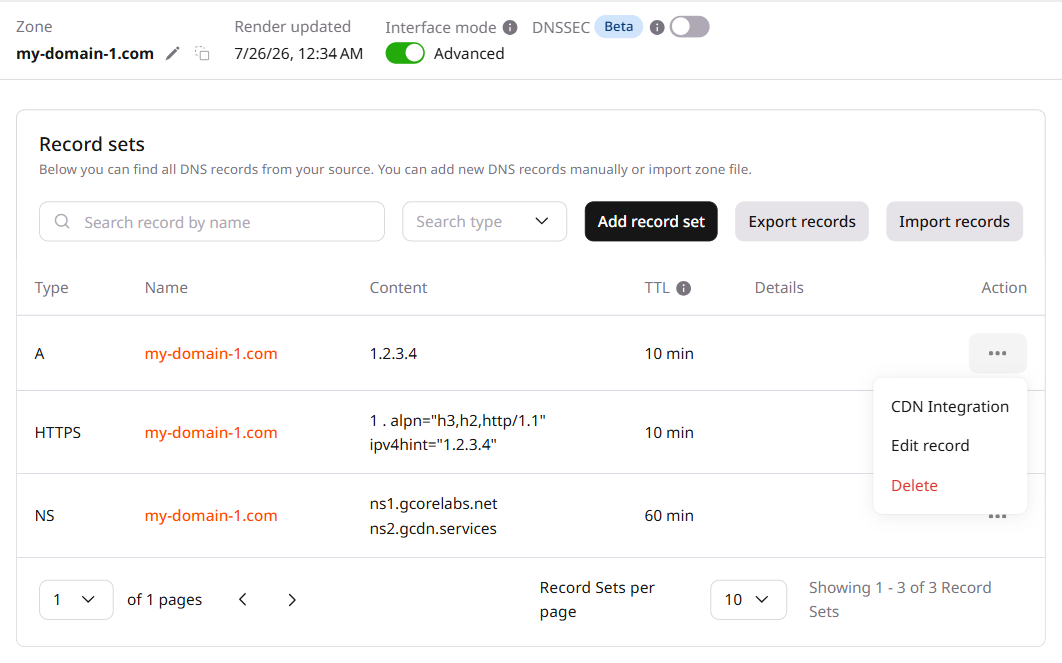
CDN integration is available only for A and AAAA record types.
- 3
Open CDN Integration
Click the three-dot icon next to the A or AAAA record and select CDN Integration.
- 4
Save the settings
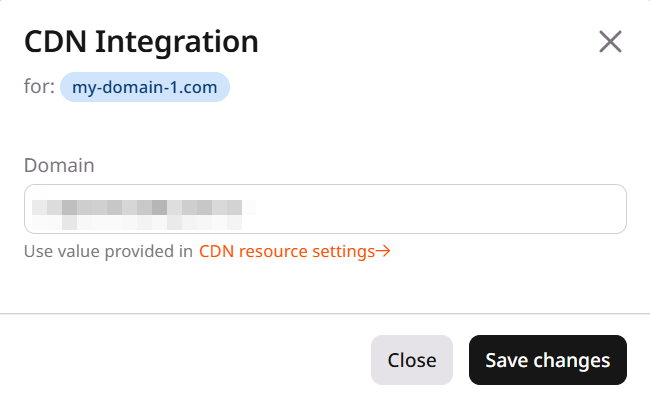
In the CDN Integration popup, the Domain field is pre-filled with the endpoint from CDN resource settings. Click Save changes.
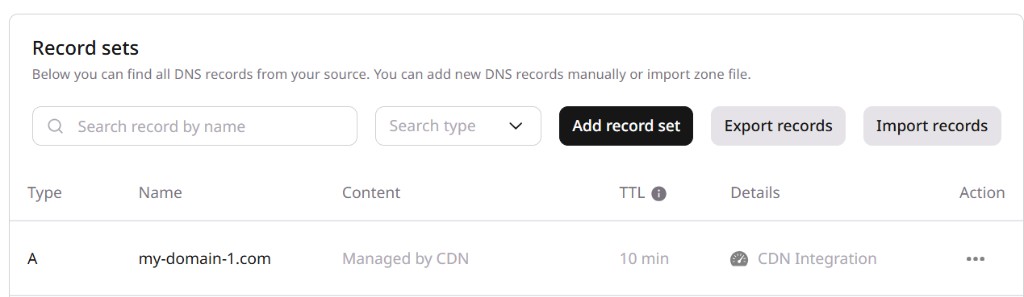
The DNS zone is now integrated with Orange's CDN. The record content changes to Managed by CDN and the details column shows CDN Integration.