Supported DNS record types
DNS records define how a domain is handled in the DNS. CDB Managed DNS supports eleven record types.
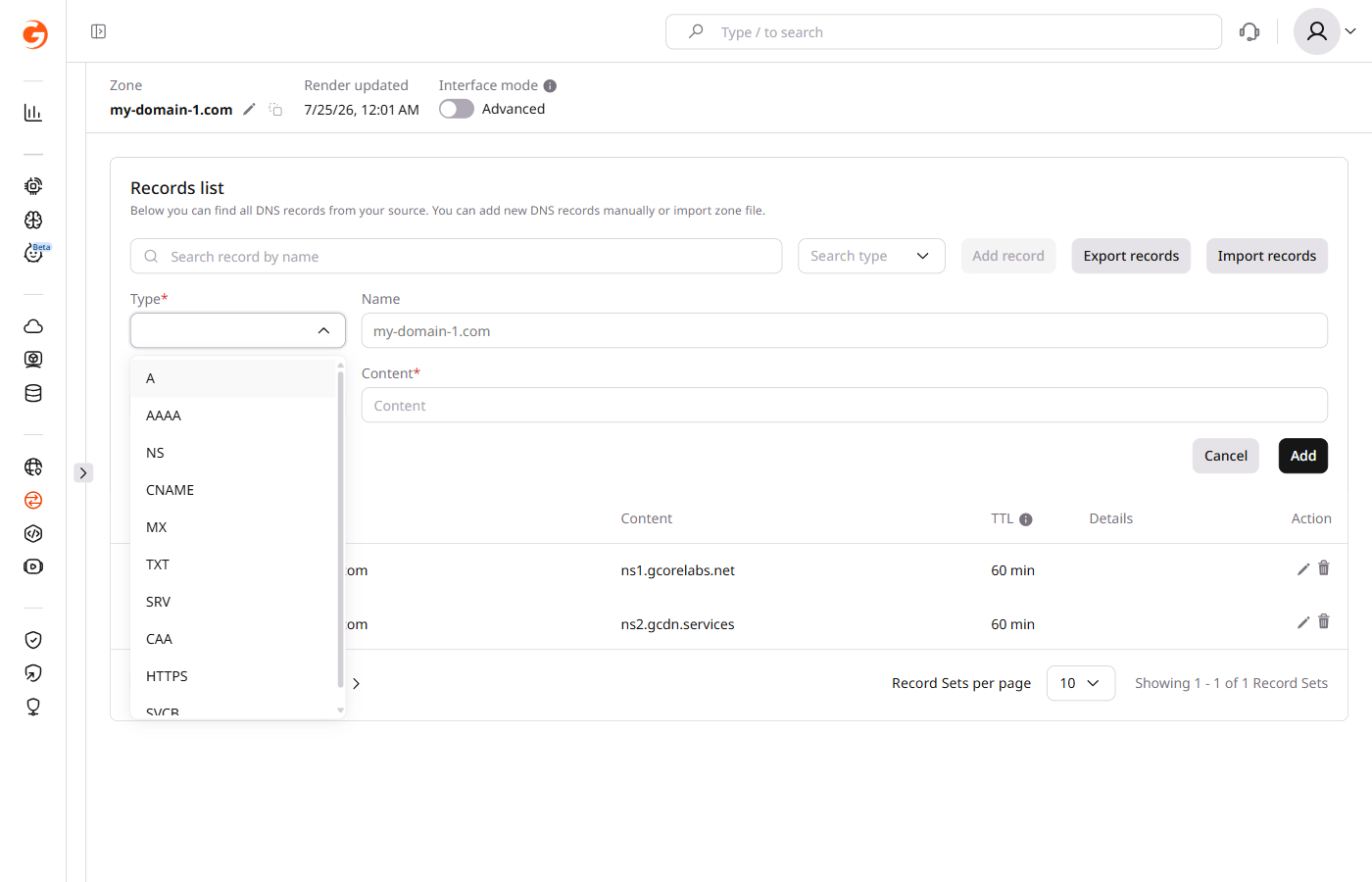
The CDB DNS Lookup tool checks resource records for any domain.
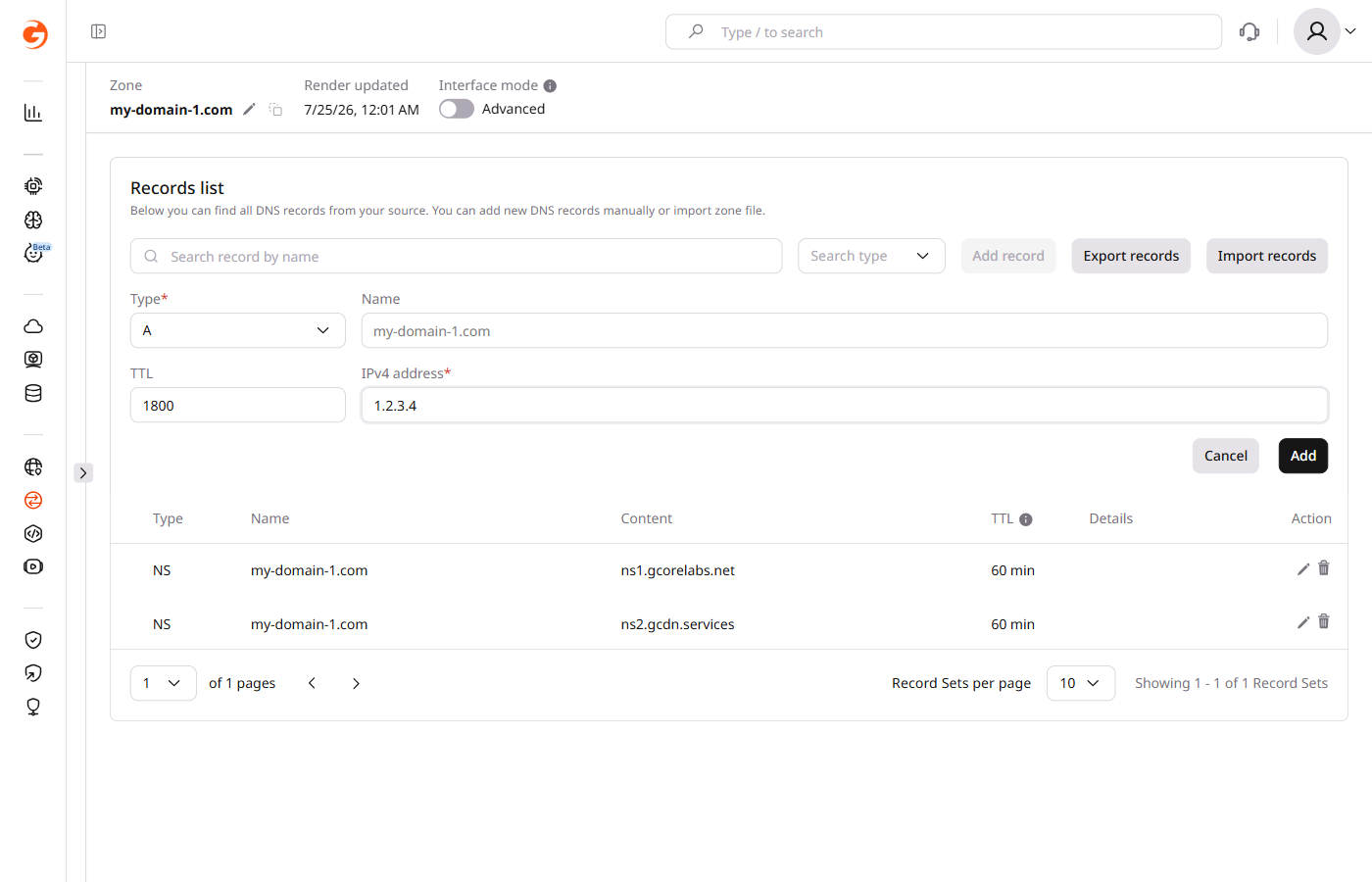
A record
An A record defines the IP address to which the domain corresponds. The value of the A record is the server IP address in IPv4 format associated with the domain.
sample-test.com. 1800 IN A 1.2.3.4
sample-test.com.is the domain name that corresponds to the server.1800is the Time to Live (TTL) for the DNS record in seconds, which indicates how long the record is cached by servers or resolvers.INis the class that stands for "internet."Ais the record type.1.2.3.4is the IPv4 address of the server to which the domain name corresponds.
AAAA record
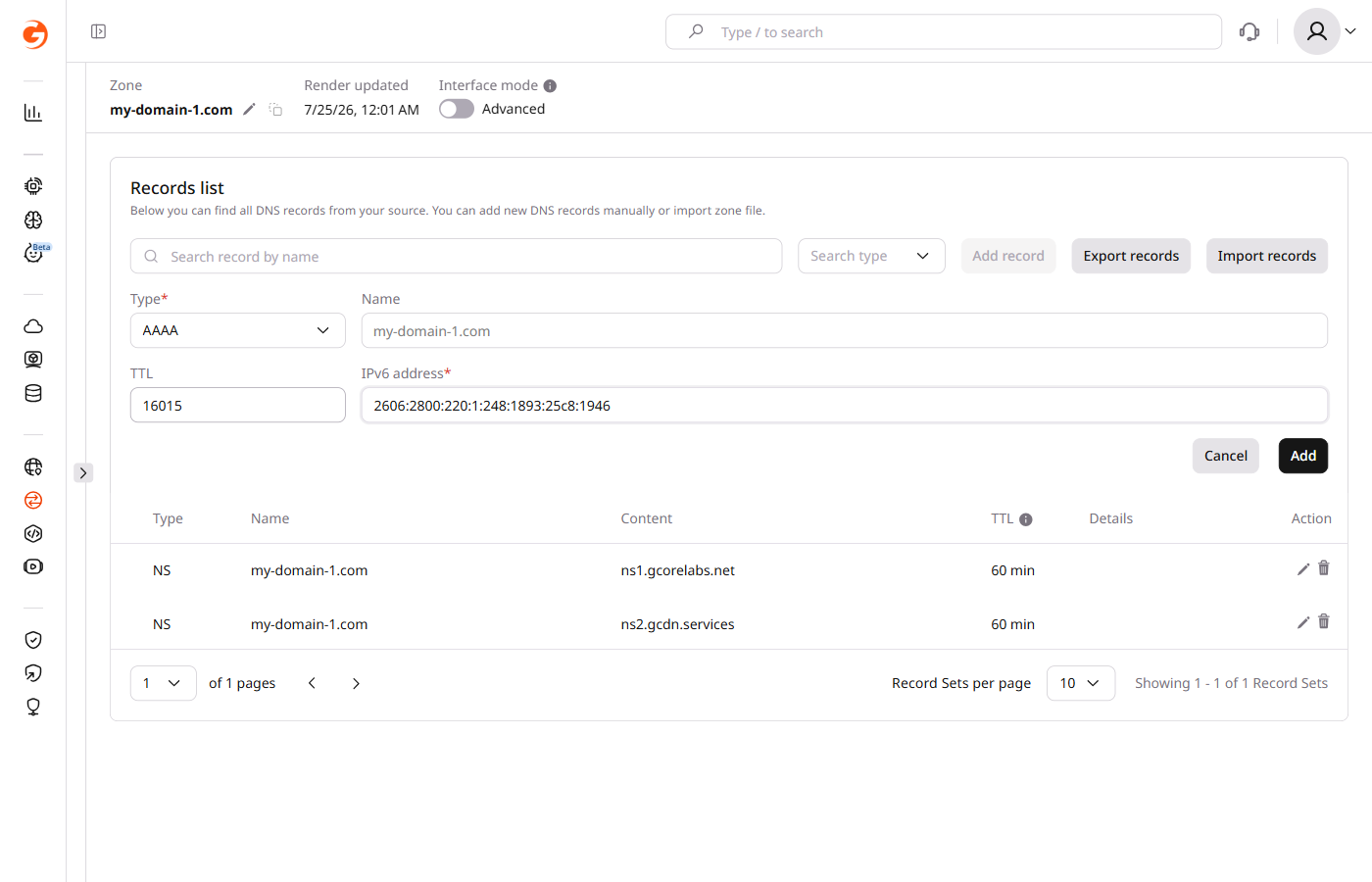
An AAAA record defines the IP address to which the domain corresponds. The value of the AAAA record is the server IP address in IPv6 format associated with the domain.
sample-test.com. 16015 IN AAAA 2606:2800:220:1:248:1893:25c8:1946
sample-test.com.is the domain name that corresponds to the server.16015is the DNS record's Time to Live (TTL) in seconds, which indicates how long the record is cached by servers or resolvers.INis the class that stands for "internet."AAAAis the record type.2606:2800:220:1:248:1893:25c8:1946is the IPv6 address of the server to which the domain name corresponds.
NS record
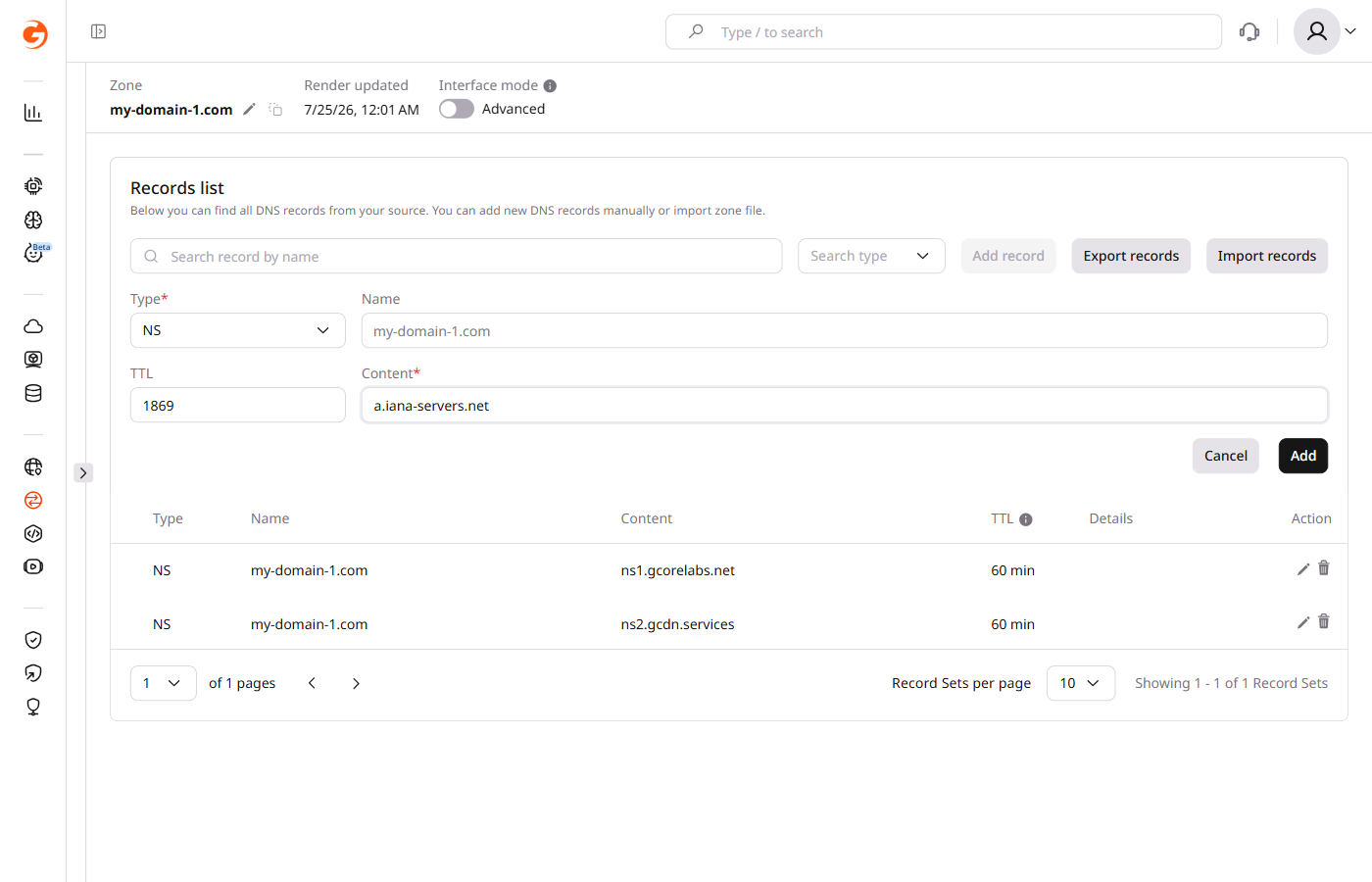
An NS record defines the name of the authoritative name servers (primary and secondary are mandatory) for a domain zone. CDB Managed DNS provides the following name servers: ns1.gcorelabs.net and ns2.gcdn.services.
sample-test.com. 1869 IN NS a.iana-servers.net
sample-test.com. 1869 IN NS b.iana-servers.net
sample-test.com.is the domain name that delegates to the name servers.1869is the Time to Live (TTL) for the DNS record in seconds, which indicates how long the record is cached by servers or resolvers.INis the class that stands for "internet."NSis the record type.a.iana-servers.netandb.iana-servers.netare the authoritative name servers that contain information about the domain zone, and all added DNS records.
CNAME record
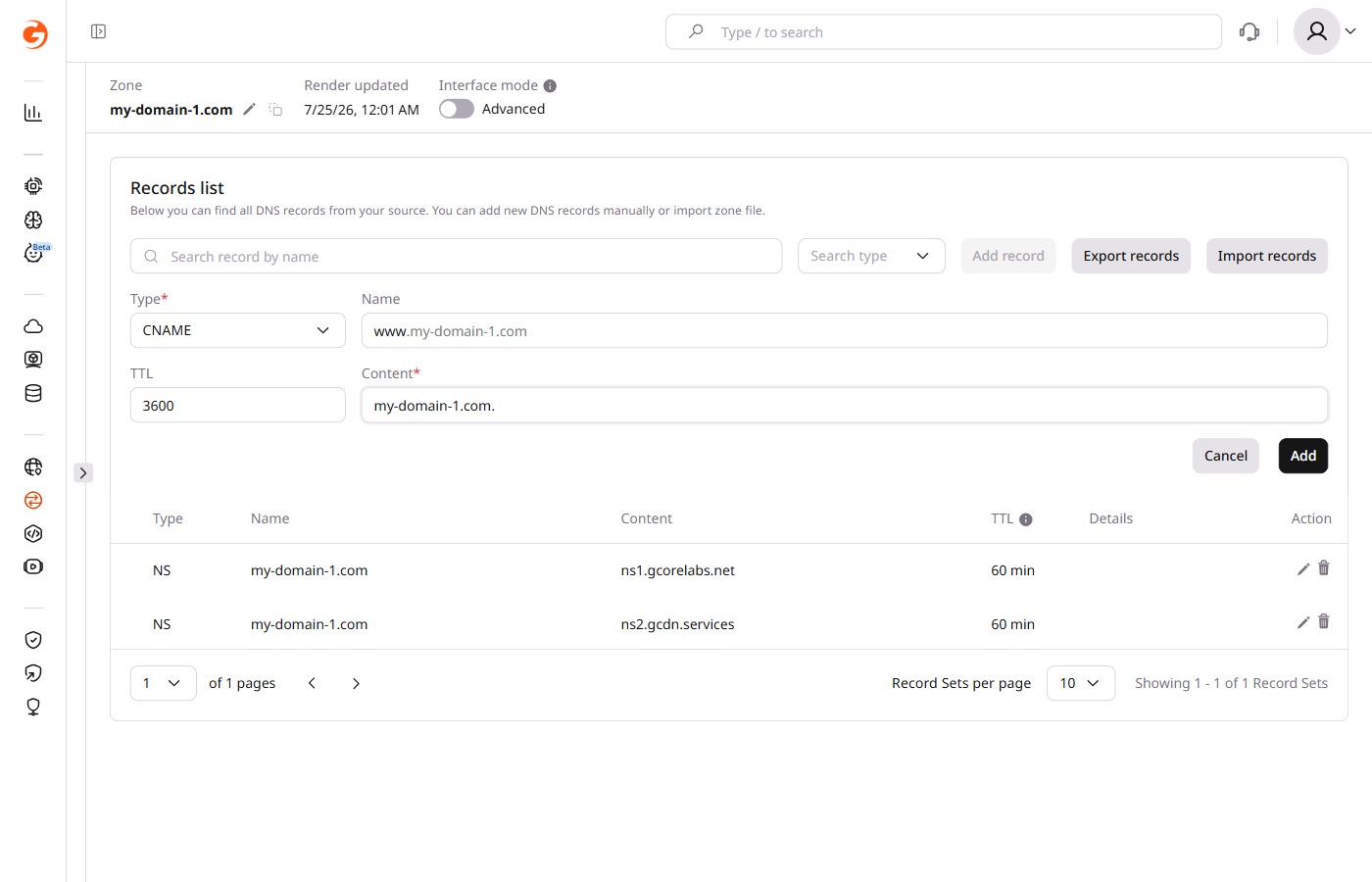
A CNAME (canonical name) record redirects from the domain name it is associated with to another domain name. CNAME records effectively create an alias, allowing one domain name to repeat the configuration of another. When the resolver receives CNAME as an answer, it makes another request, or potentially a chain of requests. Verify that the configuration does not result in a loop.
www.sample-test.com. 3600 IN CNAME sample-test.com.
www.sample-test.com.is the domain name that inherits all records from another domain.3600is the Time to Live (TTL) for the DNS record in seconds, which indicates how long the record is cached by servers or resolvers.INis the class that stands for "internet."CNAMEis the record type.sample-test.com.is the target domain name whose records are inherited by the domainwww.sample-test.com.
MX record
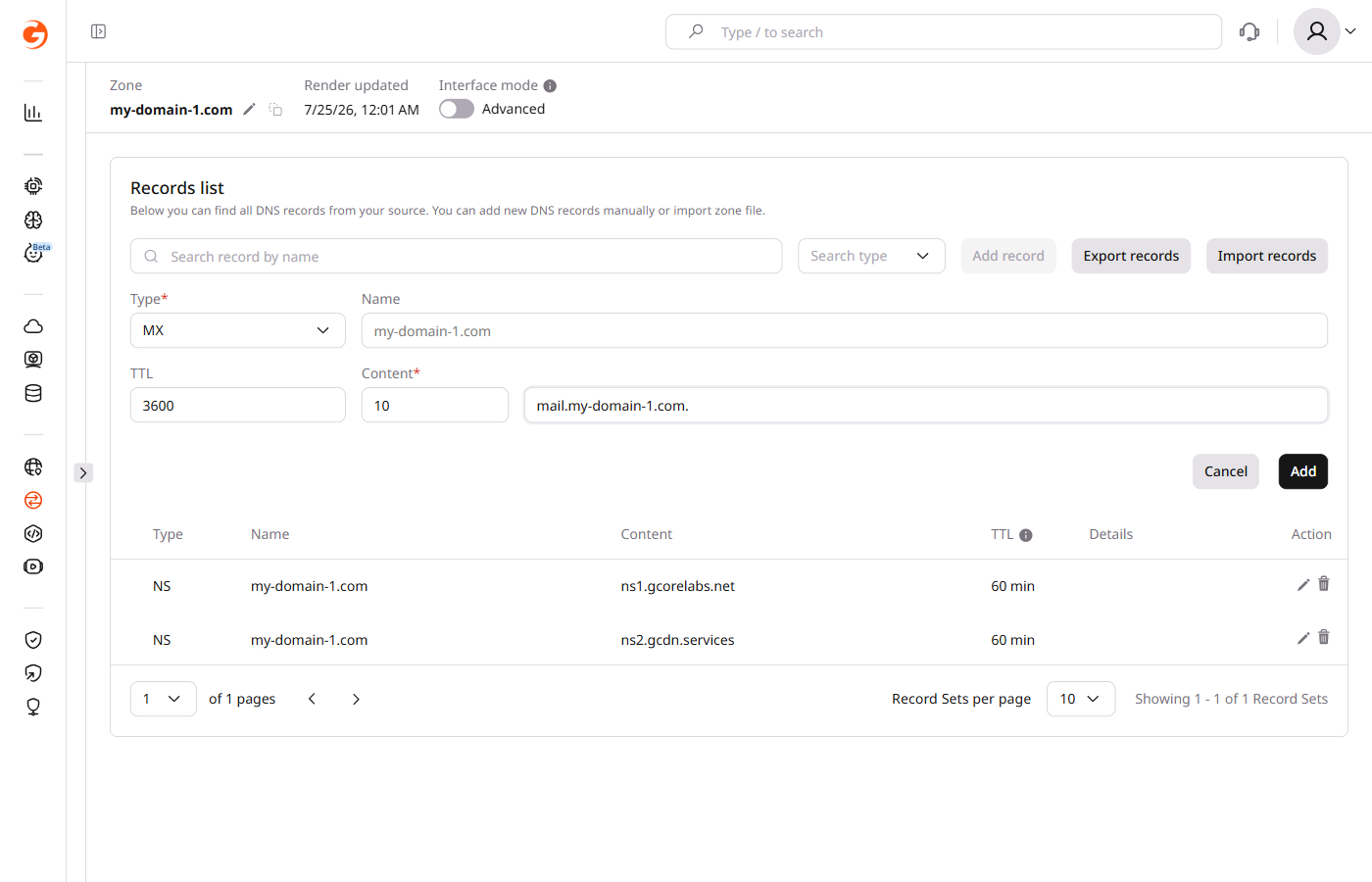
An MX record defines the server that receives mail for the domain.
sample-test.com. 3600 IN MX 10 mail.sample-test.com.
sample-test.com.is the domain name for which the MX record is created.3600is the Time to Live (TTL) for the DNS record in seconds, which indicates how long the record is cached by servers or resolvers.INis the class that stands for "internet."MXis the record type.10is the priority of the mail server. If several servers are assigned for the domain, the server with the lowest priority will be the first to be contacted for mail delivery.mail.sample-test.com.is the target host or the mail server which handles mail forsample-test.com.
TXT record
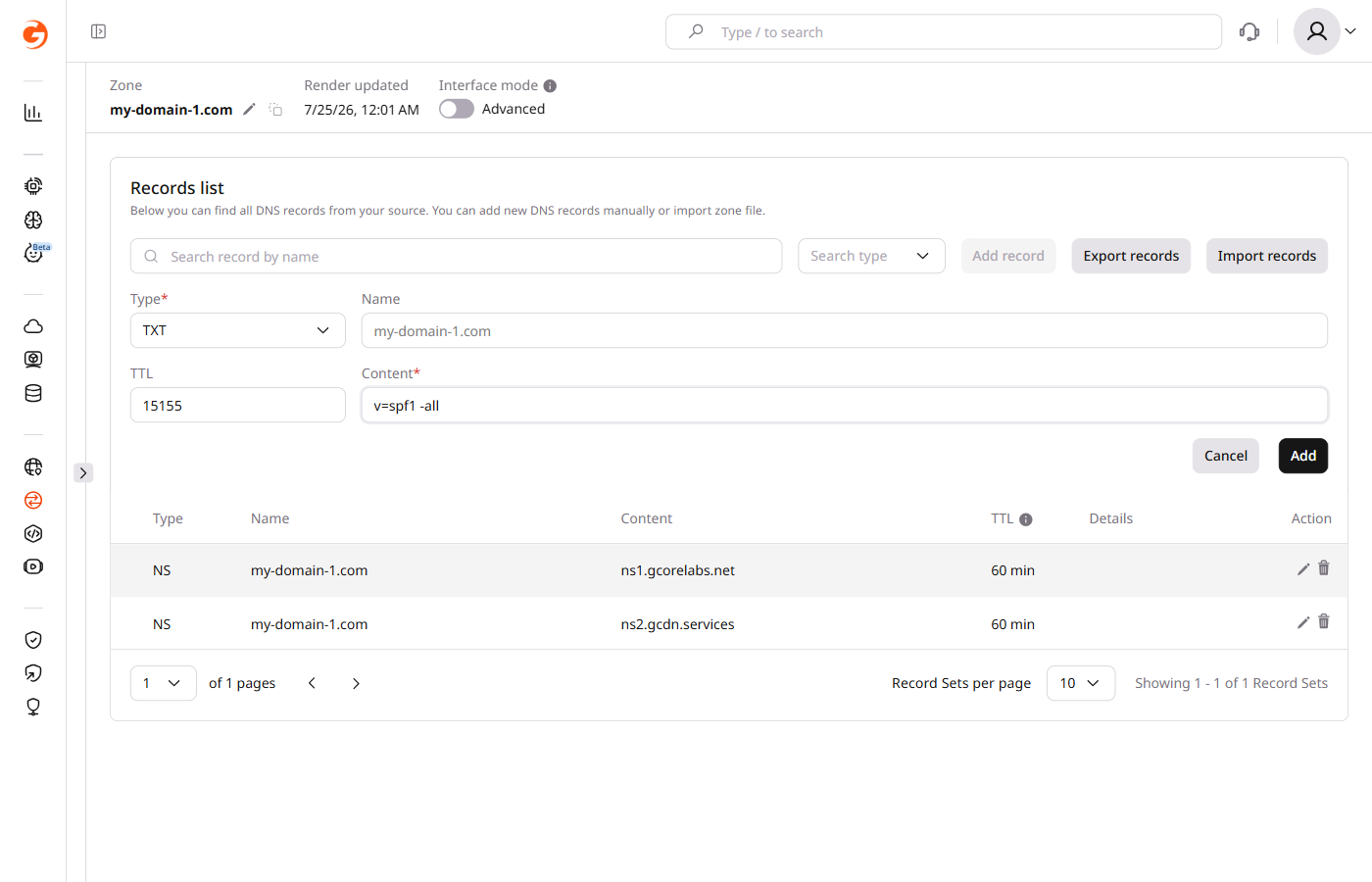
A TXT record provides additional textual information about the domain. A common use is Sender Policy Framework (SPF) rules, which determine which mail servers are authorized to send emails on behalf of the domain.
sample-test.com. 15155 IN TXT "v=spf1 -all"
sample-test.com.is the domain for which the SPF rules are set15155is the Time to Live (TTL) for the DNS record in seconds, which indicates how long the record is cached by servers or resolvers.INis the class that stands for "internet."TXTis the record type."v=spf1 -all"is the actual SPF rule. v=spf1 indicates the SPF version being used, and -all means that no IP addresses are authorized to send an email for the domain. Any email that claims to be from this domain should be considered spoofed and can be safely rejected or marked as spam.
SRV record
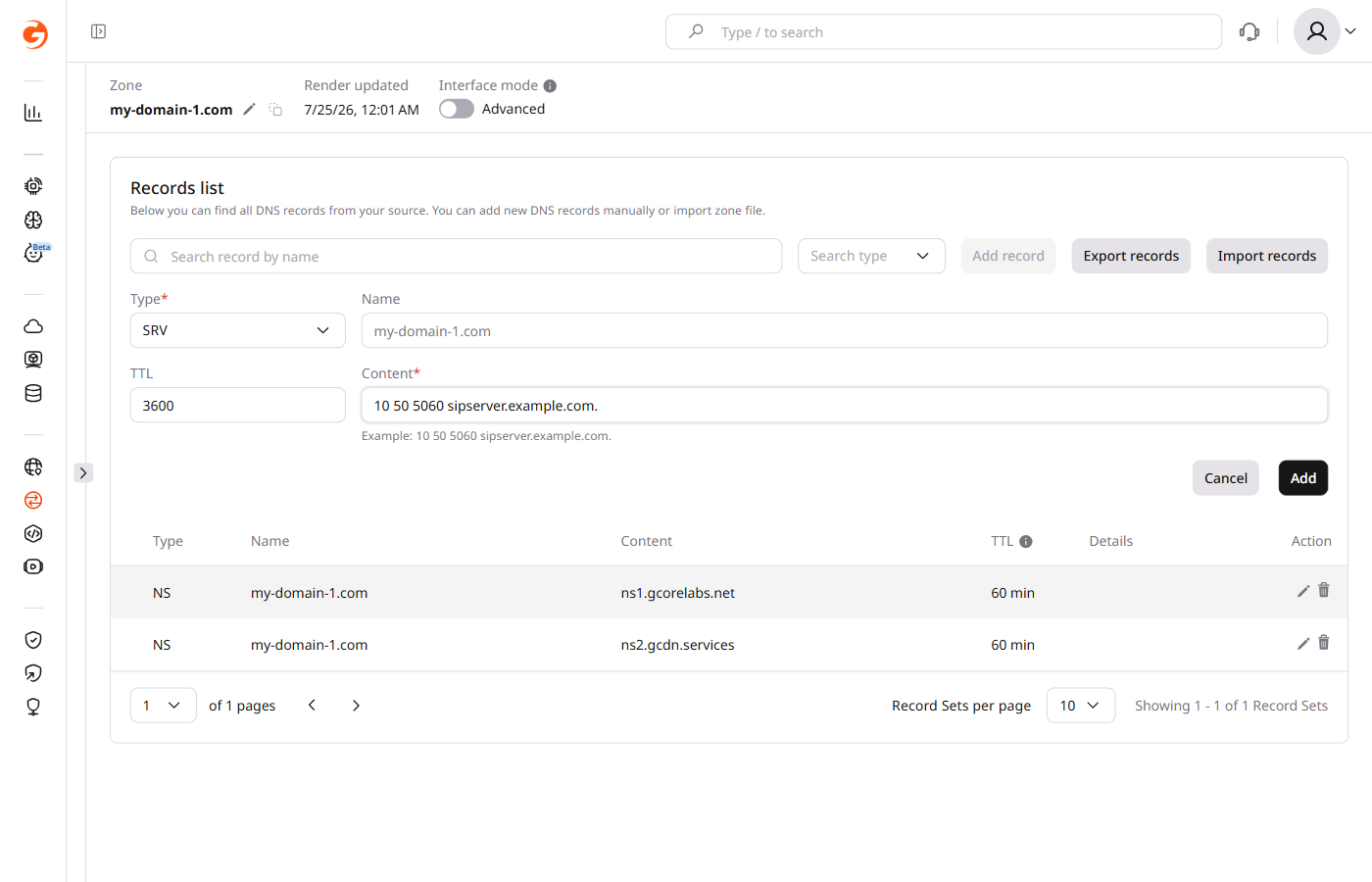
An SRV record identifies the server that provides a specific service for the domain — internet telephony (ITSP) is one common application.
_sip._tcp.sample-test.com. 3600 IN SRV 10 50 5060 sipserver.sample-test.com.
_sip._tcp.sample-test.com.is the name of the service and protocol used, as well as the domain that provides the service.3600is the Time to Live (TTL) for the DNS record in seconds, which indicates how long the record is cached by servers or resolvers.INis the class that stands for "internet."SRVis the record type.10is the priority, with a smaller number having a higher priority.50is the weight used at equal priority for load balancing.5060is the port on which the service is provided.sipserver.sample-test.com.is the target host or server providing the service.
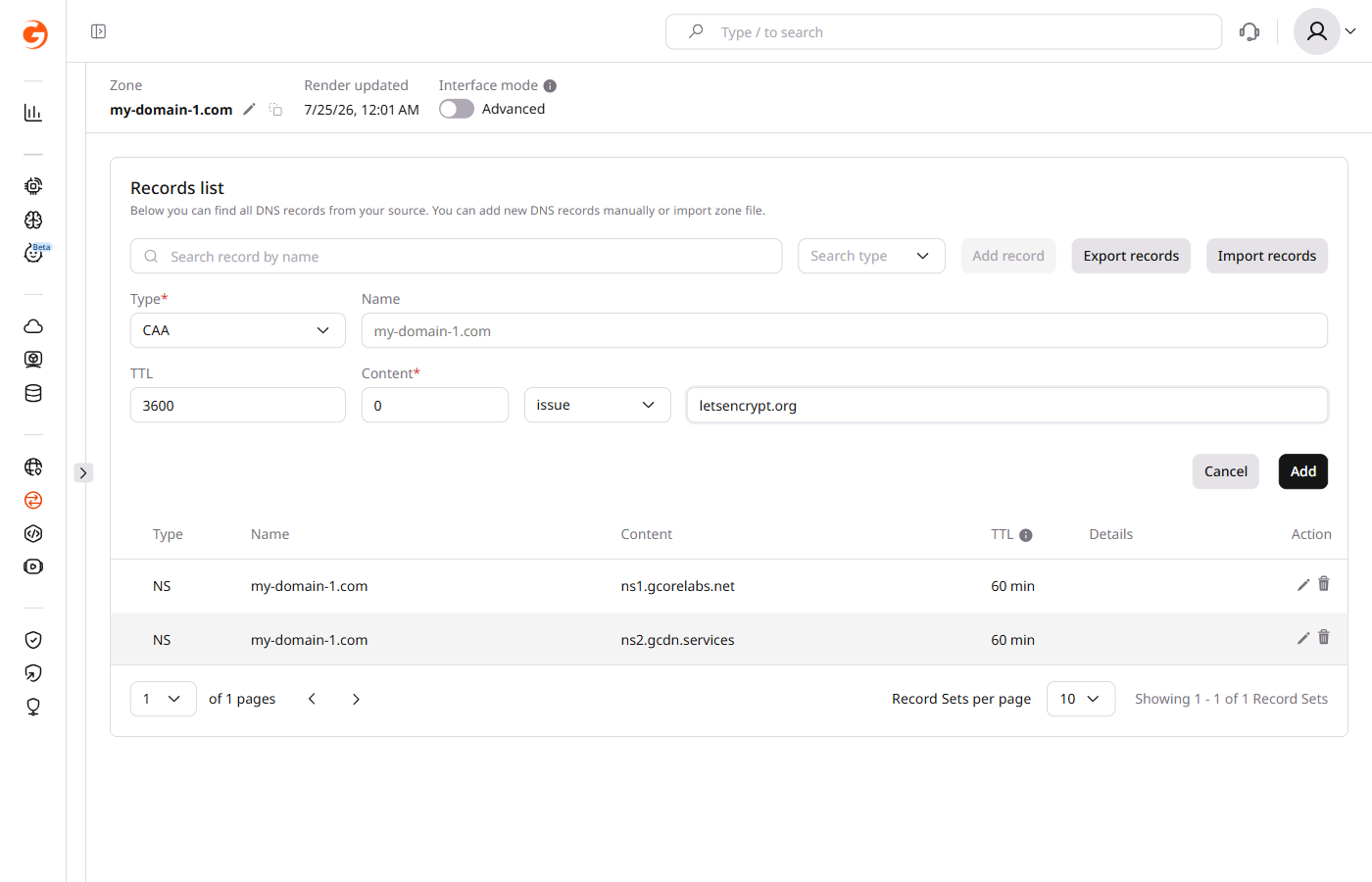
CAA record
A CAA record specifies the certificate authorities (CAs) that are permitted to issue SSL/TLS certificates for the domain.
sample-test.com. IN CAA 0 issue "letsencrypt.org"
sample-test.com.is the domain for which the CAA record is set.INis the class that stands for "internet."CAAis the record type.0is the flag value which can indicate specific policy restrictions for the record.issueis a tag that means that certificates can be issued by the specified certificate authority."letsencrypt.org"is a value that points to a specific Certificate Authority. In this case, Let's Encrypt is the issuing CA for "example.com", and only this CA can issue the certificates for the domain.
HTTPS record
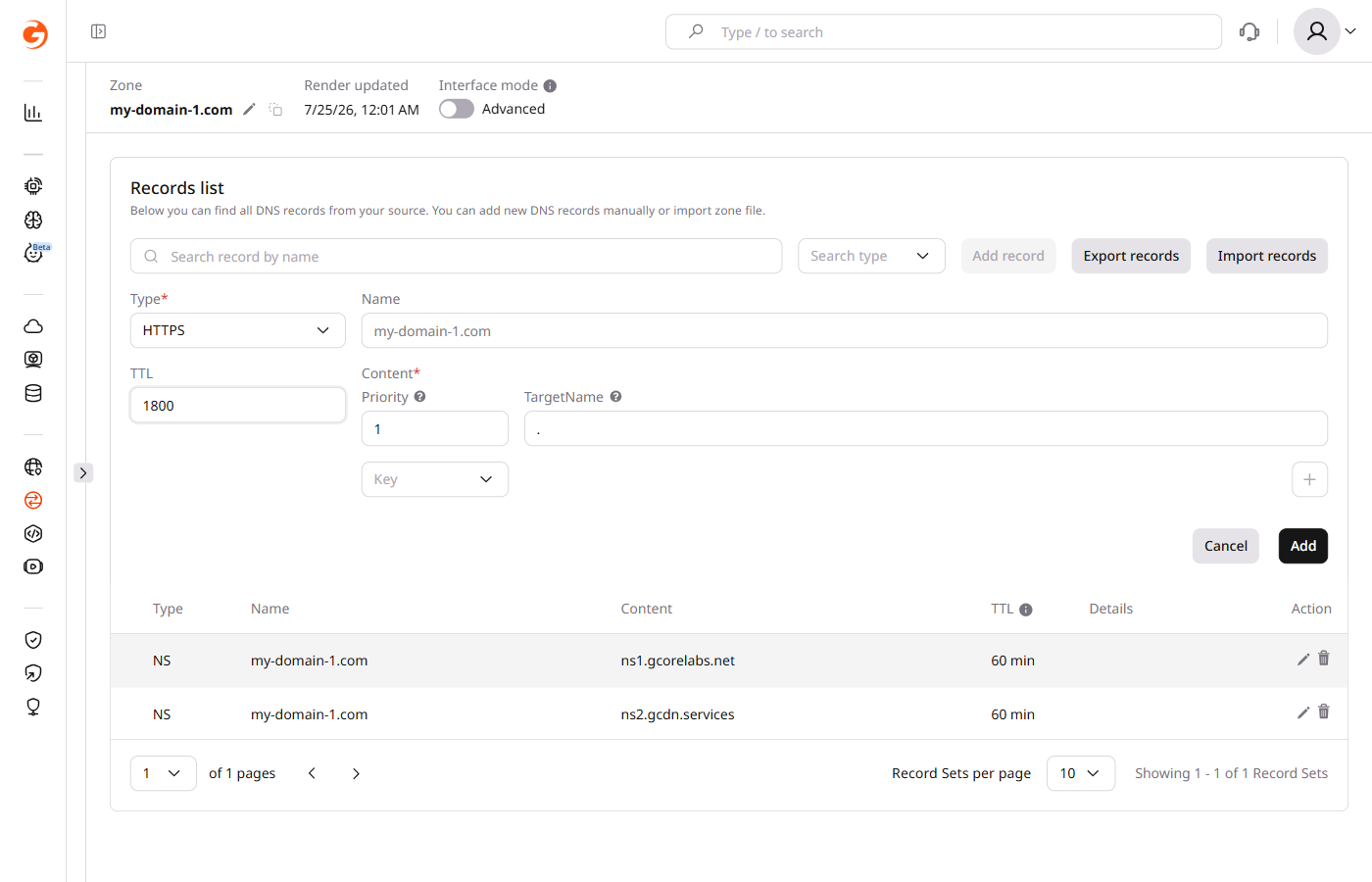
An HTTPS record provides information and connection parameters for accessing a web service via HTTPS.
sample-test.com. 1800 IN HTTPS 1 . alpn=h3,h3-29,h2 ipv4hint=1.2.3.4,9.8.7.6 ipv6hint=2001:db8:3333:4444:5555:6666:7777:8888,2001:db8:3333:4444:CCCC:DDDD:EEEE:FFFF
sample-test.com.is the domain for which the HTTPS record is defined.1800is the Time to Live (TTL) for the DNS record in seconds, which indicates how long the record is cached by servers or resolvers.INis the class that stands for "internet."HTTPSis the record type.1is the priority, i.e., the number in the queue..stands for the host if it is the same as the domain name.alpn=h3,h3-29,h2specifies the application protocol versions.ipv4hint=1.2.3.4,9.8.7.6specifies IPv4 addresses.ipv6hint=2001:db8:3333:4444:5555:6666:7777:8888,2001:db8:3333:4444:CCCC:DDDD:EEEE:FFFFspecifies IPv6 addresses.
SVCB record
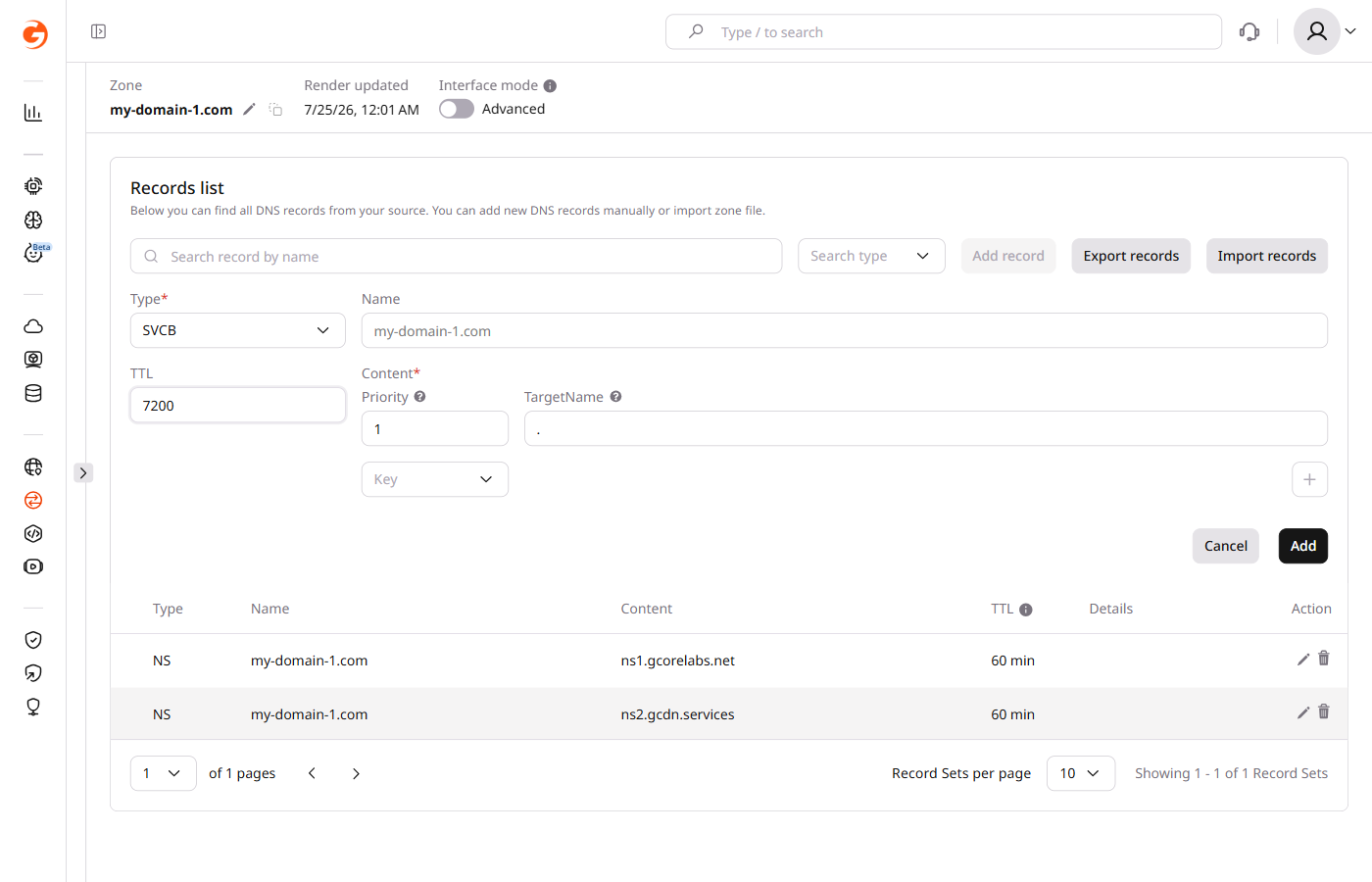
An SVCB record specifies the transport protocols supported by the service and any associated optional parameters — including HTTP/2 and HTTP/3 over QUIC, though the specification is general and not limited to HTTP.
sample-test.com. 7200 IN SVCB 1 . alpn=h3
sample-test.com.is the domain for which the SVCB record is set.7200is the Time to Live (TTL) for the DNS record in seconds, which indicates how long the record is cached by servers or resolvers.INis the class that stands for "internet."SVCBis the record type.1is the record priority. The lower the number, the higher the priority. The value 0 is reserved for alias mode, and values of one or higher indicate service mode..is the TargetName. It's the domain name of the server providing the service. In this case, the "." means the service is offered from the same domain as the one making the request, i.e., example.com.alpn=h3is a key-value pair from the SvcParamList. Here, alpn stands for "Application-Layer Protocol Negotiation" and h3 indicates support for HTTP/3.
PTR record
A PTR record maps an IP address to a domain or hostname. PTR records are primarily used for reverse DNS lookups and are necessary for certain applications, like some mail servers, that require sender domain verification.
A PTR record can only be added to a zone under the top-level domain (TLD) in-addr.arpa (for IPv4) or ip6.arpa (for IPv6). After creating a zone under these TLDs, the PTR record type becomes available in the portal.
123.0.0.67.in-addr.arpa. 3600 IN PTR sample-test.com.
123.0.0.67.in-addr.arpa.is the reverse DNS format of the IP address. It's written in the reverse order of the actual IP address, followed by in-addr.arpa for IPv4 addresses.3600is the Time to Live (TTL) for the DNS record in seconds, which indicates how long the record is cached by servers or resolvers.INis the class that stands for "internet."PTRis the record type.sample-test.com.is the hostname or domain to which the IP address resolves.