Edge Geo-blocking
Overview
Our Edge Geo-blocking feature enables content owners to restrict access to their services based on users' geographical locations (Countries), AS numbers and Internet Service Provider (ISP). You can customize the user experience and manage content access according to your copyright policies. You determine Countries, ASN and ISPs using the Max Mind database.
Use cases
- Sports Broadcasting Licensing: By implementing a list of blocked locations, you can effectively prevent users from regions where rights are not granted—such as certain sports where broadcast right owners can change according to the country—from accessing the service.
- Local/National-only Services: Access can be granted to users from specific countries, for example, to facilitate online government services for citizens.
- Exceptions for International Support Teams: You can grant access to specific users from a predefined list of IP addresses during designated time slots, even if they originate from blocked countries. For instance, a content owner with broadcasting rights limited to France may have a support team based in India. By setting appropriate geo-blocking rules, they can restrict access to French users while permitting their Indian support team to assist during specific hours.
Benefits
- Compliance Management: Follow complex licensing agreements and regulatory requirements.
- Operational Efficiency: Maintain seamless operations even when support teams are distributed across different countries and time zones.
- Traffic Security: Protect your service by blocking access from irrelevant or potentially threatening geographic locations.
Configuration permutations
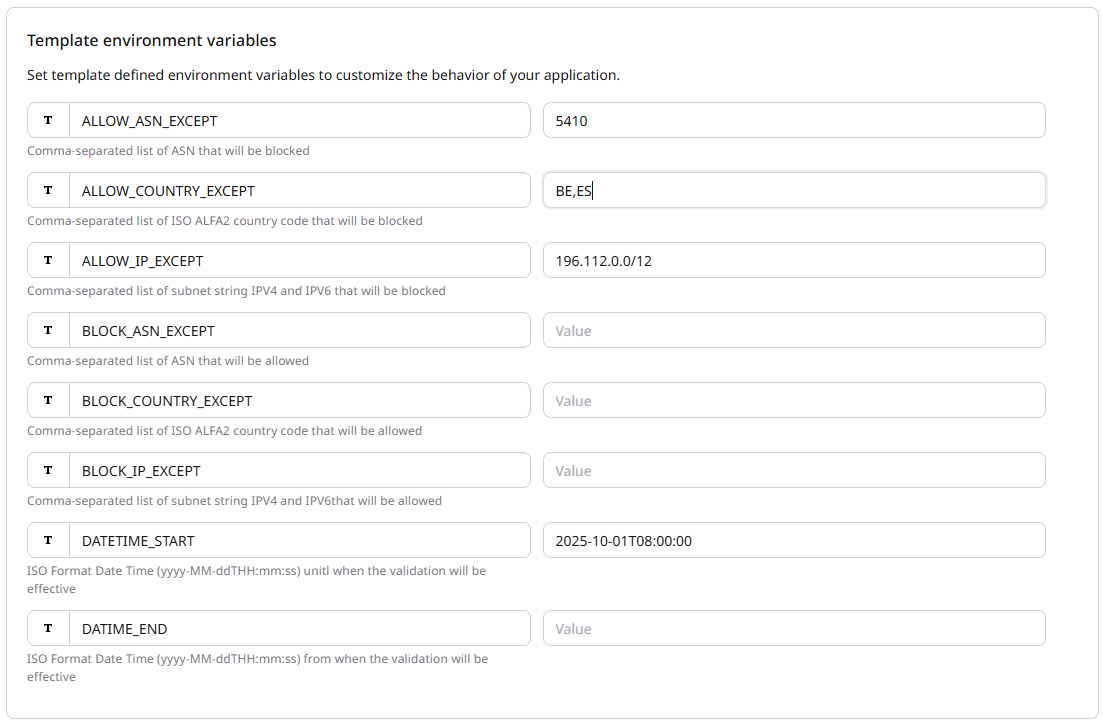
The internal/Client operation team member should configure at least one parameter from [ALLOW_COUNTRY_EXCEPT, BLOCK_COUNTRY_EXCEPT, ALLOW_IP_EXCEPT, BLOCK_IP_EXCEPT, ALLOW_ASN_EXCEPT, BLOCK_ASN_EXCEPT]
| Parameter | Description |
|---|---|
| ALLOW_COUNTRY_EXCEPT | Comma-separated list of ISO ALFA2 country code that will be blocked. |
| BLOCK_COUNTRY_EXCEPT | Comma-separated list of ISO ALFA2 country code that will be allowed. |
Examples:
MA,FR
MA, FR, EN
- If the internal/Client operation team member configure an invalid country code, a warning log will be written, the correct parts of the configuration will be apply, it means that invalid value is ignored.
- If none of the value is correct (for example MAFR,ENUS) and the value is set in BLOCK_COUNTRY_EXCEPT all the country will be blocked.
- If none of the value is correct (for example MAFR,ENUS) and the value is set in ALLOW_COUNTRY_EXCEPT all the country will be allowed.
- If the internal/Client operation team member configure a country in both ALLOW and BLOCK parameters, an internal error code 500 will be return to end user.
The HTTP Error Code 451 will be return to end user when trying to access to the content from a country that is blocked. Some exception can be added based on the IP of the end user see below.
| Parameter | Description |
|---|---|
| ALLOW_IP_EXCEPT | Comma-separated list of subnet string IPV4 and IPV6 that will be blocked. It will permit to block an IP inside a country allowed. |
| BLOCK_IP_EXCEPT | Comma-separated list of subnet string IPV4 and IPV6 that will be allowed. It will permit to allow an IP inside a country blocked. |
Example:
95.74.153.121/32,2a01:cb06:b000:961e::/24
- If the internal/Client operation team member configure an invalid IP, a warning log will be written, the correct parts of the configuration will be apply, it means that invalid value is ignored.
- If none of the value is correct (for example MAFR,ENUS) and the value is set in ALLOW_IP_EXCEPT all the IP will be allowed.
- If none of the value is correct (for example MAFR,ENUS) and the value is set in BLOCK_IP_EXCEPT all the IP will be blocked.
- If the internal/Client operation team member configure an IP address in both ALLOW_IP_EXCEPT and BLOCK_IP_EXCEPT parameters, an internal error code 500 will be return to end user.
| Parameter | Description |
|---|---|
| ALLOW_ASN_EXCEPT | Comma-separated list of ASN number that will be blocked. It will permit to block an ASN number. |
| BLOCK_ASN_EXCEPT | Comma-separated list of ASN number that will be allowed. It will permit to allow an ASN number. |
Example:
13335,15169,16509
- If the internal/Client operation team member configure an invalid ASN, a warning log will be written, the correct parts of the configuration will be apply, it means that invalid value is ignored.
- If none of the value is correct (for example 14db6,15po6) and the value is set in ALLOW_ASN_EXCEPT all the request will be allowed.
- If none of the value is correct (for example 14db6,15po6) and the value is set in BLOCK_ASN_EXCEPT all the ASN will be blocked.
- If the internal/Client operation team member configure an ASN in both ALLOW_ASN_EXCEPT and BLOCK_ASN_EXCEPT parameters, an internal error code 500 will be return to end user.
| Parameter | Description |
|---|---|
| TS_START | ISO Format Date Time yyyy-MM-ddTHH:mm:ss |
| TS_END | ISO Format Date Time yyyy-MM-ddTHH:mm:ss |
- If the internal/Client operation team member doesn't fill any of the TS_START and TS_END, it means the configuration is always applicable
- If the internal/Client operation team member doesn't fill the TS_START, it means the configuration is applicable until the value filled for TS_END
- If the internal/Client operation team member doesn't fill the TS_END, it means the configuration is applicable from the value filled for TS_START
- If the internal/Client operation team member fill both TS_START and the TS_END, it means the configuration configuration is applicable from the value filled for TS_START to the value filled for TS_END
- If the internal/Client operation team member fill a value TS_START that is greater than TS_END an internal error code 500 will be return to end user.
Steps to implement Edge Geo-Blocking with CDB Edge Compute
Prerequisite CDB Edge Compute must be activated for your customer.
-
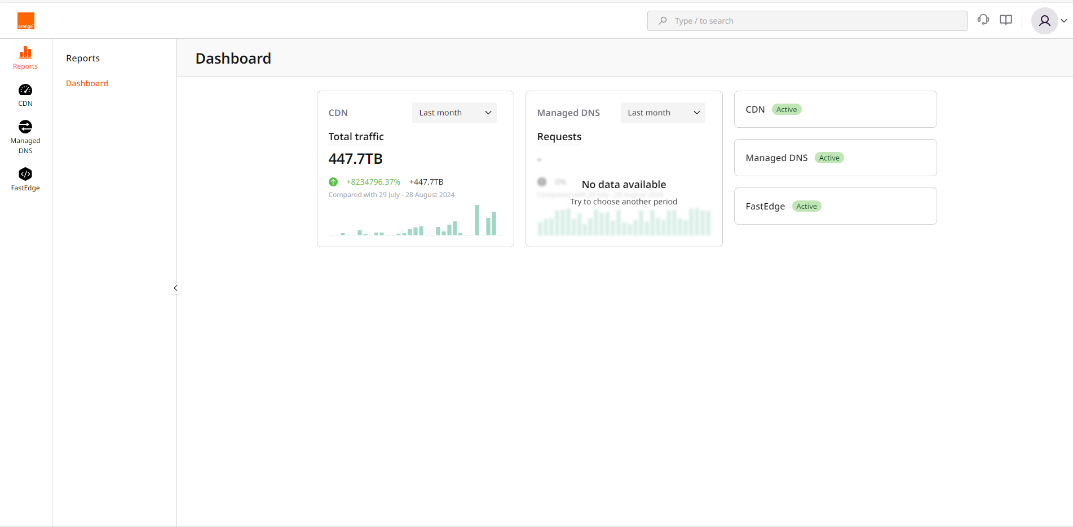
Click on the FastEdge icon on the left to switch to FastEdge management.
-
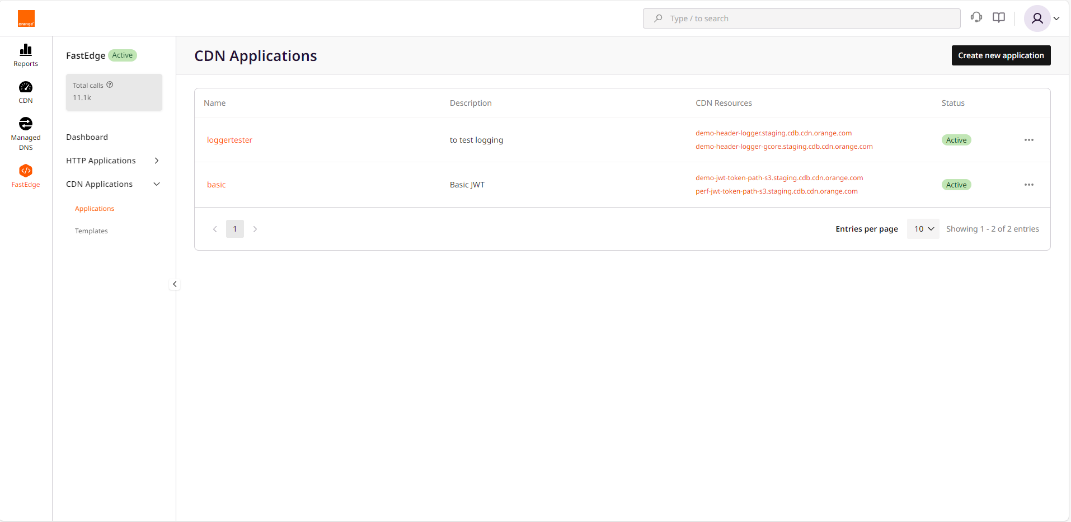
Select CDN Applications then Applications
-
Click Create new application visible on top right
-
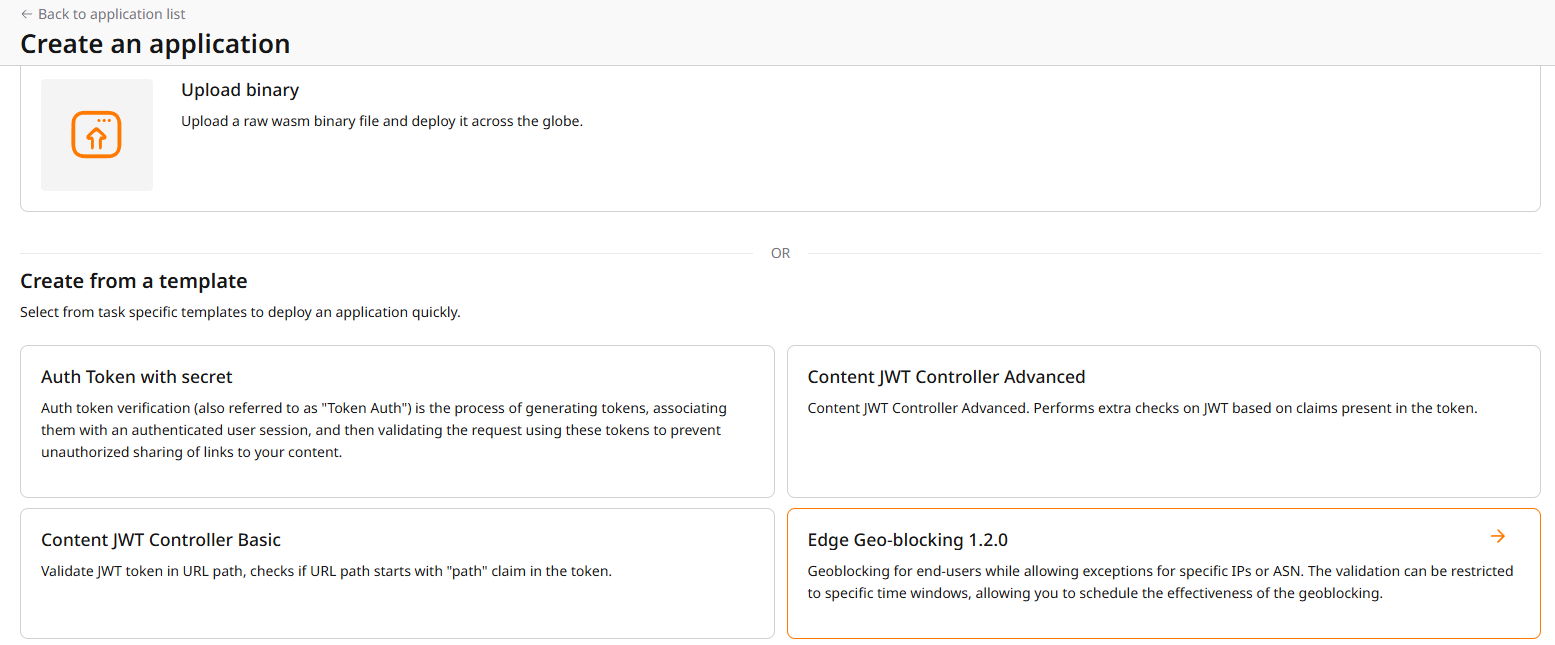
Select Egde Geo-blocking
-
Enter your settings
-
Click Save and deploy visible on top right At that point, your geoblocking application is deployed on FastEdge, now it needs to be called by CDN, additional below steps are then necessary.
-
Select CDN on left pane
-
Select the CDN resource you want to associate with the Stickness function
-
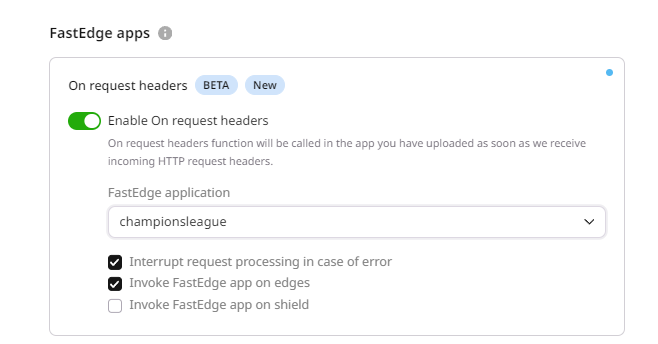
In the CDN resource configuration (OPTIONS) select FastEdge apps
-
Switch the Enable On request headers
-
Select your geoblocking application from then drop down list displayed by clicking Fastedge application If the Orgin Shielding on your CDN Resource uncheck the Option 'Invoke FastEdge app on shield'.