Content JWT Controller Basic
Overview
Nowadays, most TV platforms offering premium content use CDN URLs that include authentication tokens. This authentication enhances the security of the CDN by ensuring that each request has not been modified.
By ensuring that the URL cannot be modified, extra data, such as an expiration date or a unique identifier, can be added alongside the information needed to access the content. This additional information further improves security.
JWT is one of the most common token formats today. Many libraries support JWT, making it easy to integrate.
The standard offers a set of state-of-the-art signature and MAC algorithms (HMAC, RSA, and ECDSA), which are better than the custom algorithms used by legacy authentication tokens.
Most CDN providers use reverse proxies, either Nginx, Varnish, or forks of these two software solutions. Both solutions natively support JWT, making the development of custom algorithms unnecessary.
The format of the JWT is also interesting. Adding "Private Claim" alongside "Registered Claim" makes the format easy to extend and adaptable to custom business logic.
Required Claims for Content JWT Controller Basic
The JWT must include the following claims:
| Claim | Type of Claim | Comment |
|---|---|---|
"iat" | Registered | The "iat" (issued at) claim identifies the time at which the JWT was issued. |
"exp" | Registered | The "exp" (expiration time) claim identifies the expiration time of the JWT. |
"path" | Private | The "path" claim identifies the requested HTTP URL. This string must be used by the CDN to enforce the link between the JWT and the HTTP request. |
Note: This format has been specified to match an existing CDN URL. It doesn't take advantage of the full potential of JWT.
Appendix
Security
Here is the configuration that must be used to generate the JWT signature:
| Algorithm | HS256 (HMAC-SHA256) |
|---|---|
| Key Size (byte) | 32 |
URL Validation for Content JWT Controller Basic
In basic mode, validation will be done using the path claim present in the token. The value can be a full or partial URL.
Example:
{
  ...
  "path": "/image/",
  ...
}
The token will be valid for the following URL:
https://demo-s3.cdb.cdn.orange.com/eyJ0eXAiOiJKV1QiLCJhbGciOiJIUzI1NiJ9.eyJpYXQiOjE1MTYyMzkwMjIsImV4cCI6MTcyMzM5MTY1OSwicGF0aCI6Ii9pbWFnZS8ifQ.bbIspTuUIC93seiS_k4MWjfTXWpQVrIttQfFirgW_z04/image/orange.png

https://demo-s3.cdb.cdn.orange.com/eyJ0eXAiOiJKV1QiLCJhbGciOiJIUzI1NiJ9.eyJpYXQiOjE1MTYyMzkwMjIsImV4cCI6MTcyMzM5MTY1OSwicGF0aCI6Ii9pbWFnZS8ifQ.bbIspTuUIC93seiS_k4MWjfTXWpQVrIttQfFirgW_z0/image/blue.png
Configure and Use JWT with CDB Edge Compute
Prerequisite
CDB Edge Compute must be activated for your customer.
CDB Edge Compute Deployment
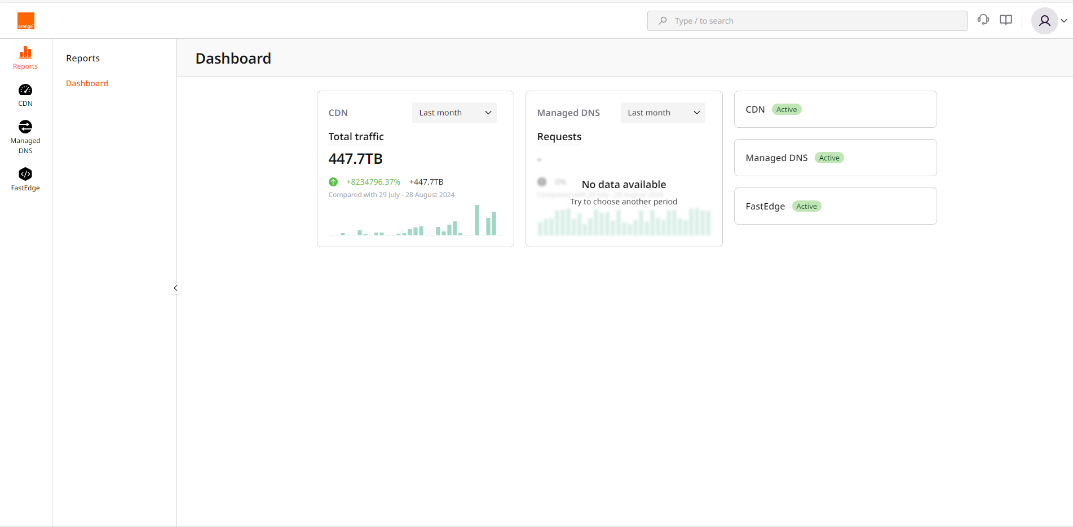
- Click on the FastEdge icon on the left to switch to FastEdge management.
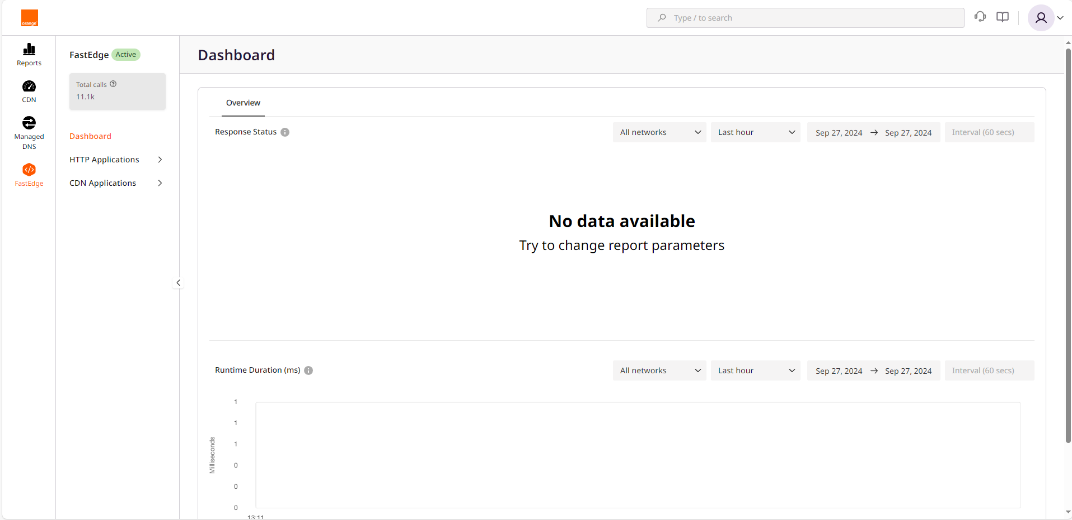
- Click on CDN Application to expand the submenu.
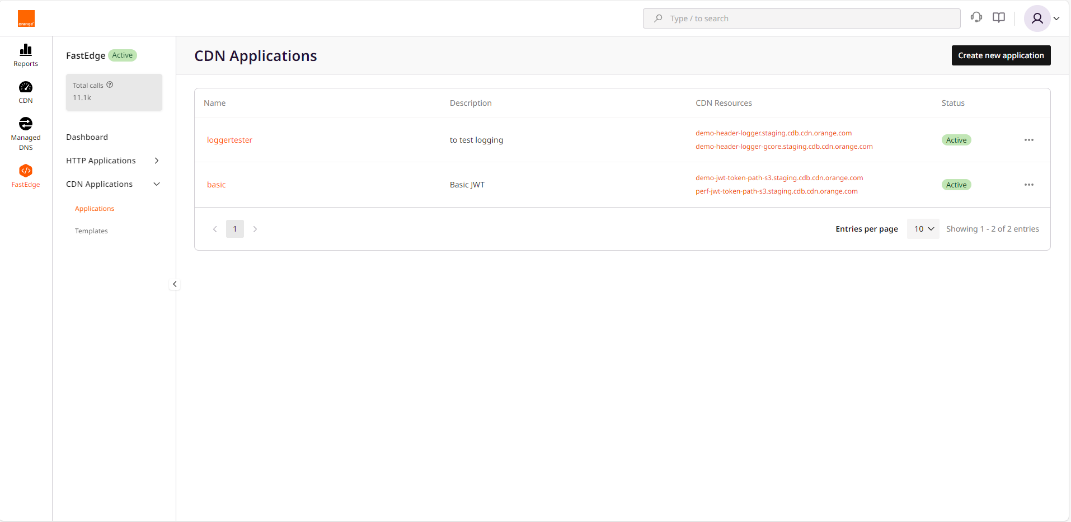
- Click on Create new application.
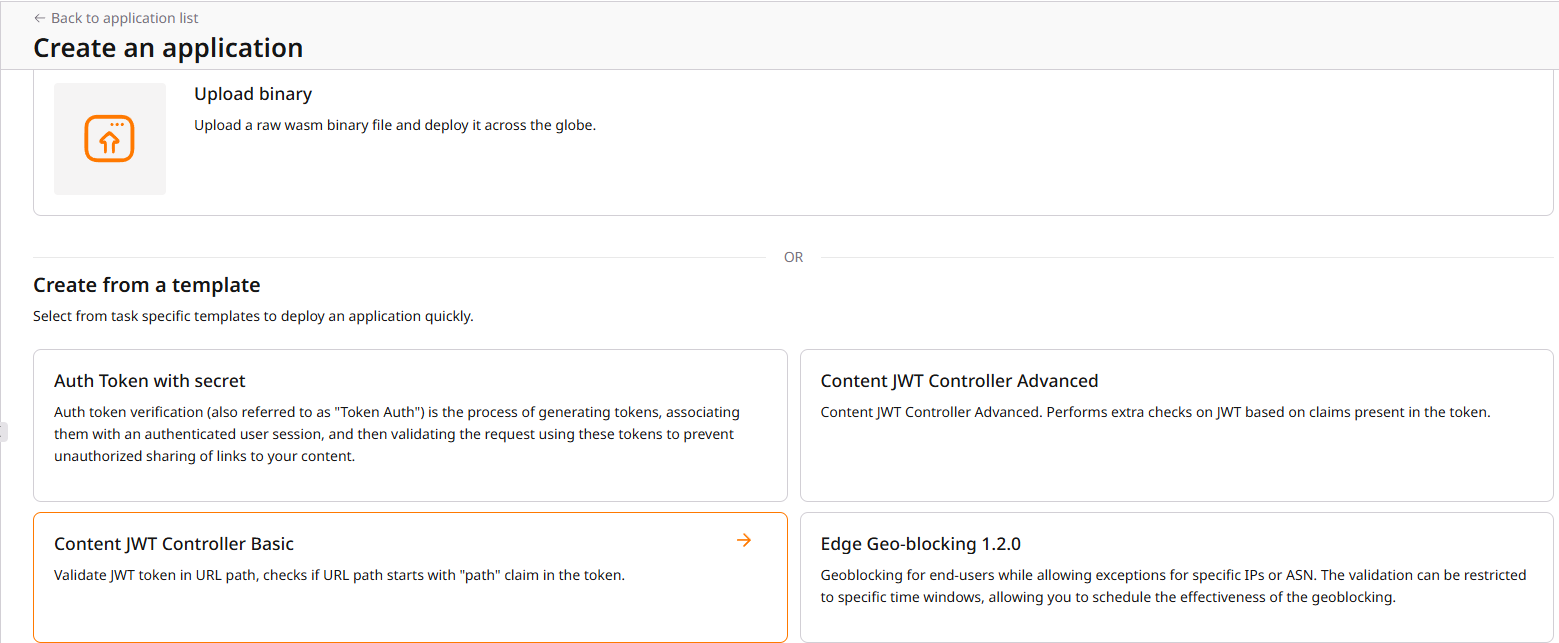
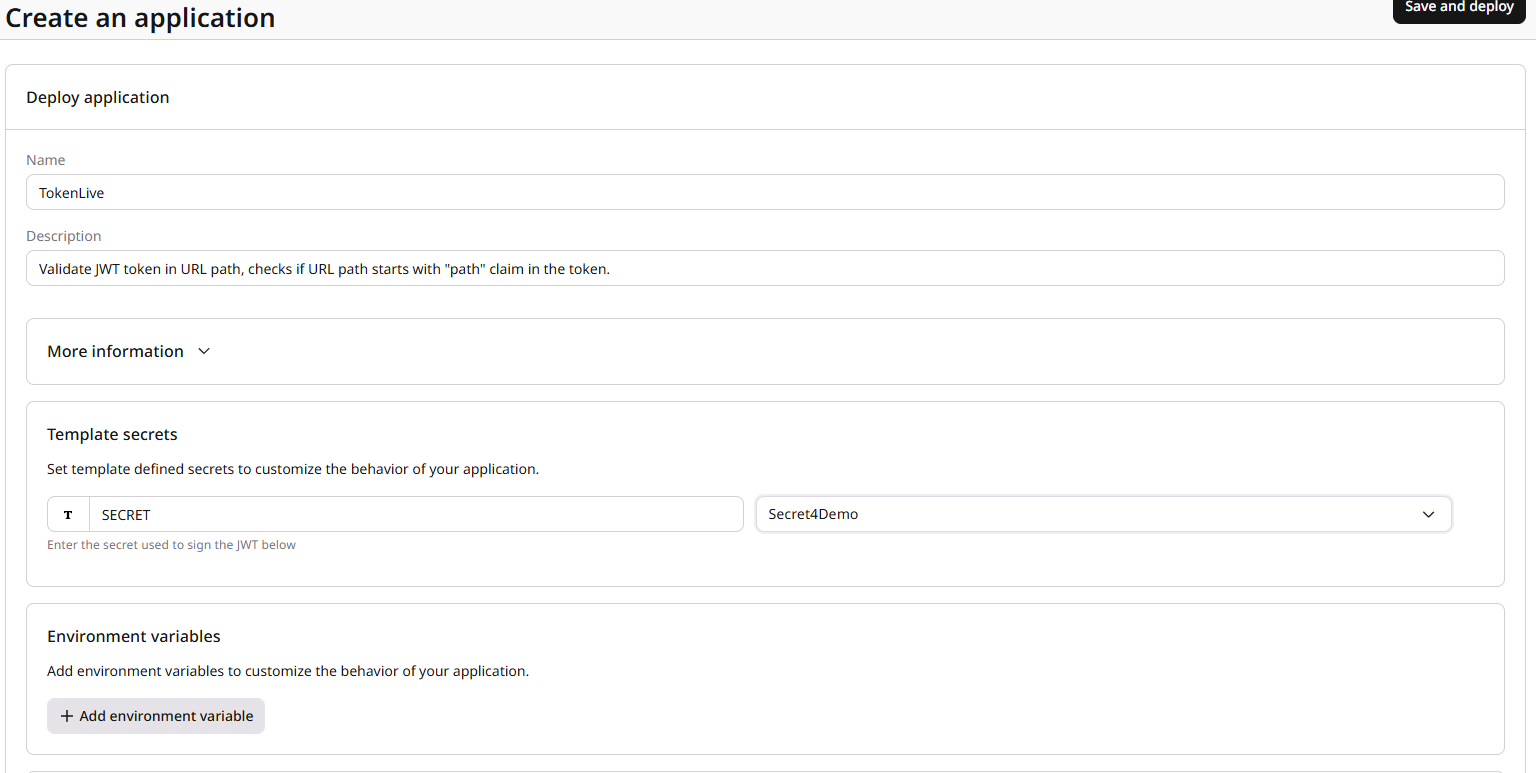
- In the Create from a Template section, click on Content JWT Controller Basic.
- Fill in the name and the shared key that will be used to sign the token, then click on Save and Deploy.
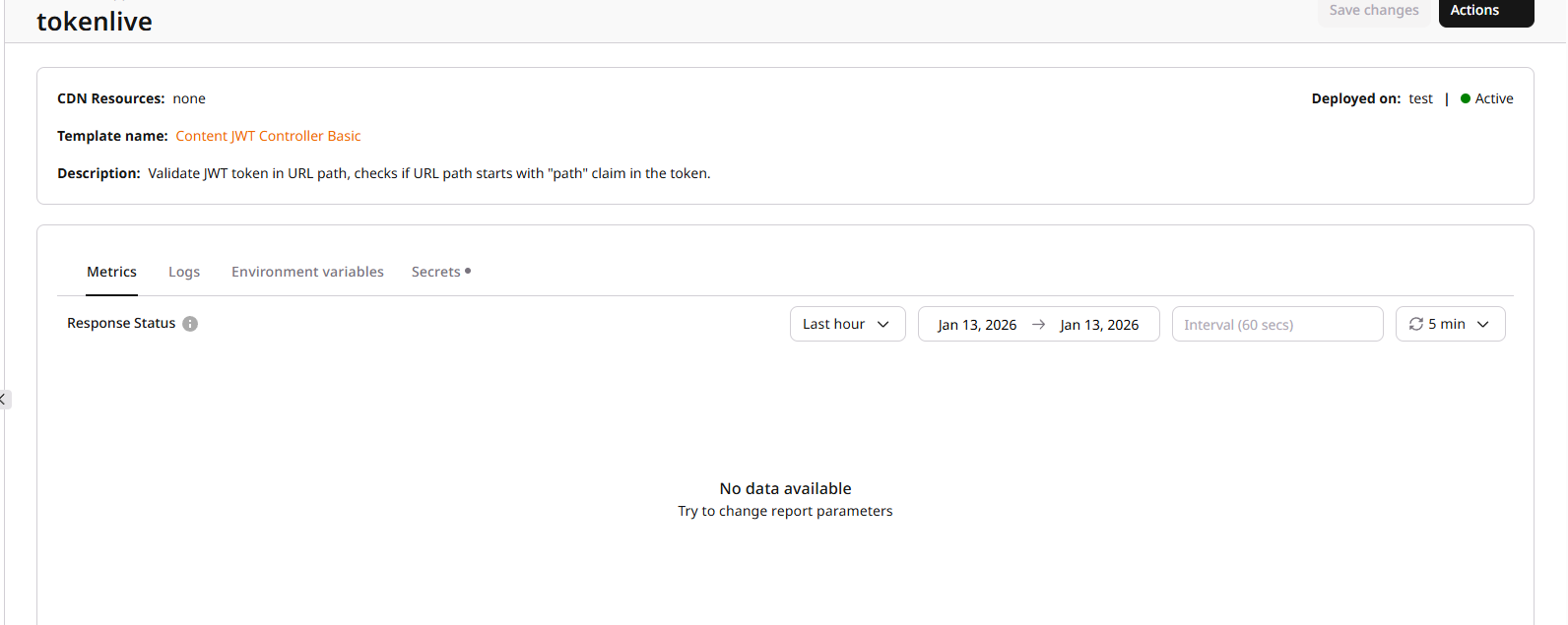
- You will be redirected to the application page. You can see the activation status on the top right.
CDN Configuration
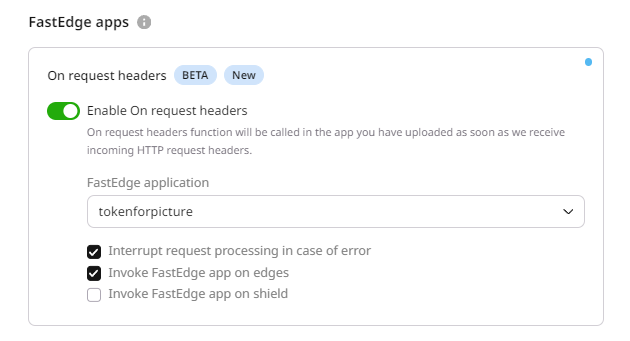
- Switch to the CDN management section on the left menu and select the CDN resource to which you want to apply the token.
- You can apply it to the entire resource.
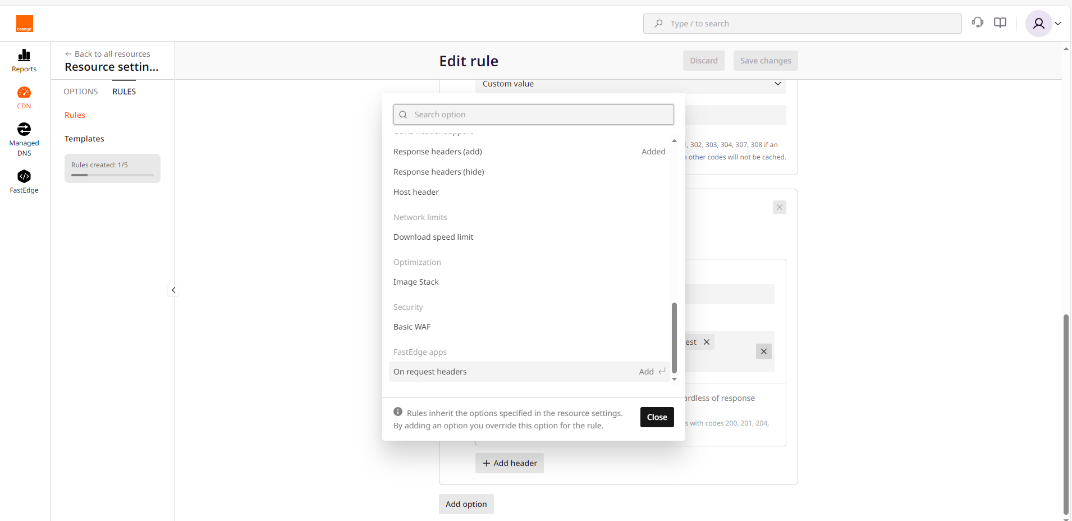
- Or to a rule that matches a pattern. For that, select the rule, click on Add option, and select request header and rewrite option.
- You can apply it to the entire resource.
- You need to add the rewrite option to remove the token from the URL before sending it to the Origin server.
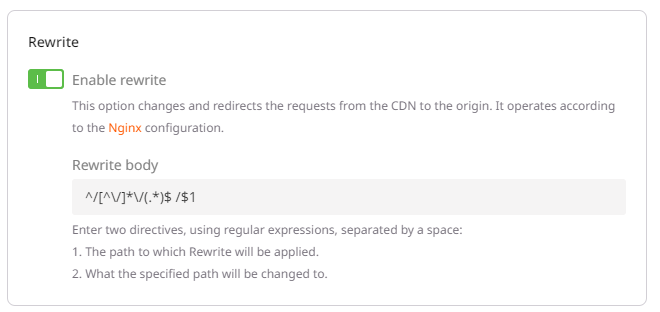
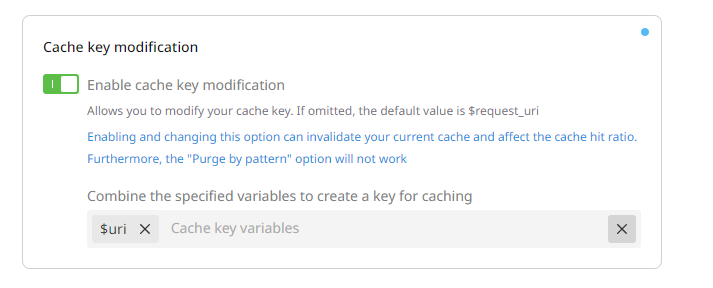
- The last configuration option consists of modifying the cache key to ensure the token is not part of it. Otherwise, the same object will be stored multiple times.
Note: Each modification on the CDN side requires 10-15 minutes to propagate.